A cash book tells you what came in and went out. A double-entry ledger also tells you what you own, what you owe and what you earned. Ledger Books posts every voucher to two accounts, so the trial balance, the profit and loss statement and the balance sheet always agree.
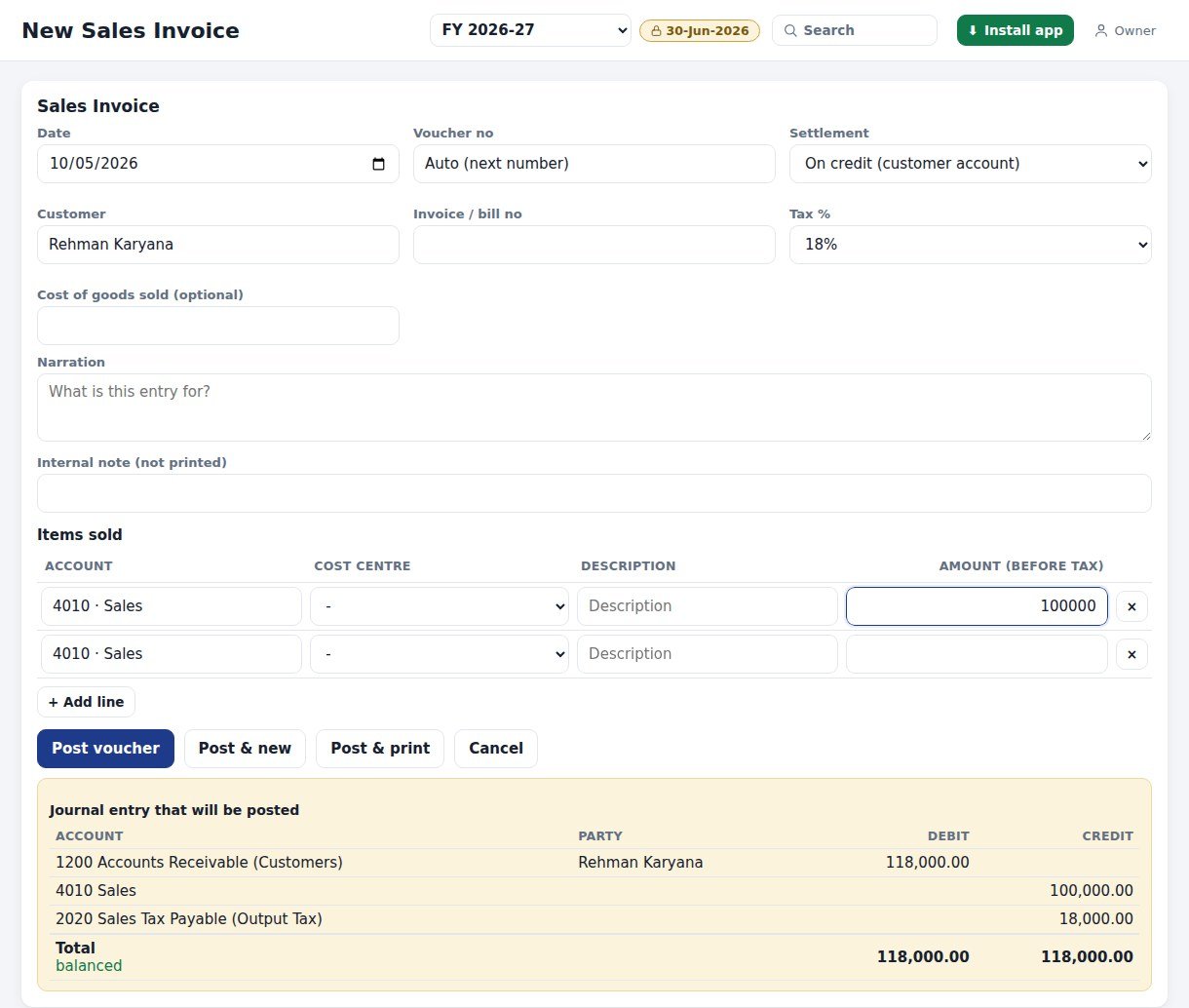
Example from the app: a credit sale of Rs 100,000 plus 18 percent sales tax. One invoice, three accounts, both sides equal.
1Never out of balance
An unbalanced voucher is refused when it is saved, so the trial balance cannot go wrong.
2Nothing is erased
Void keeps the original voucher and posts a reversing entry, so the audit trail stays complete.
3Numbered and dated
Vouchers are auto-numbered per type and per financial year, such as BRV-26-0019.
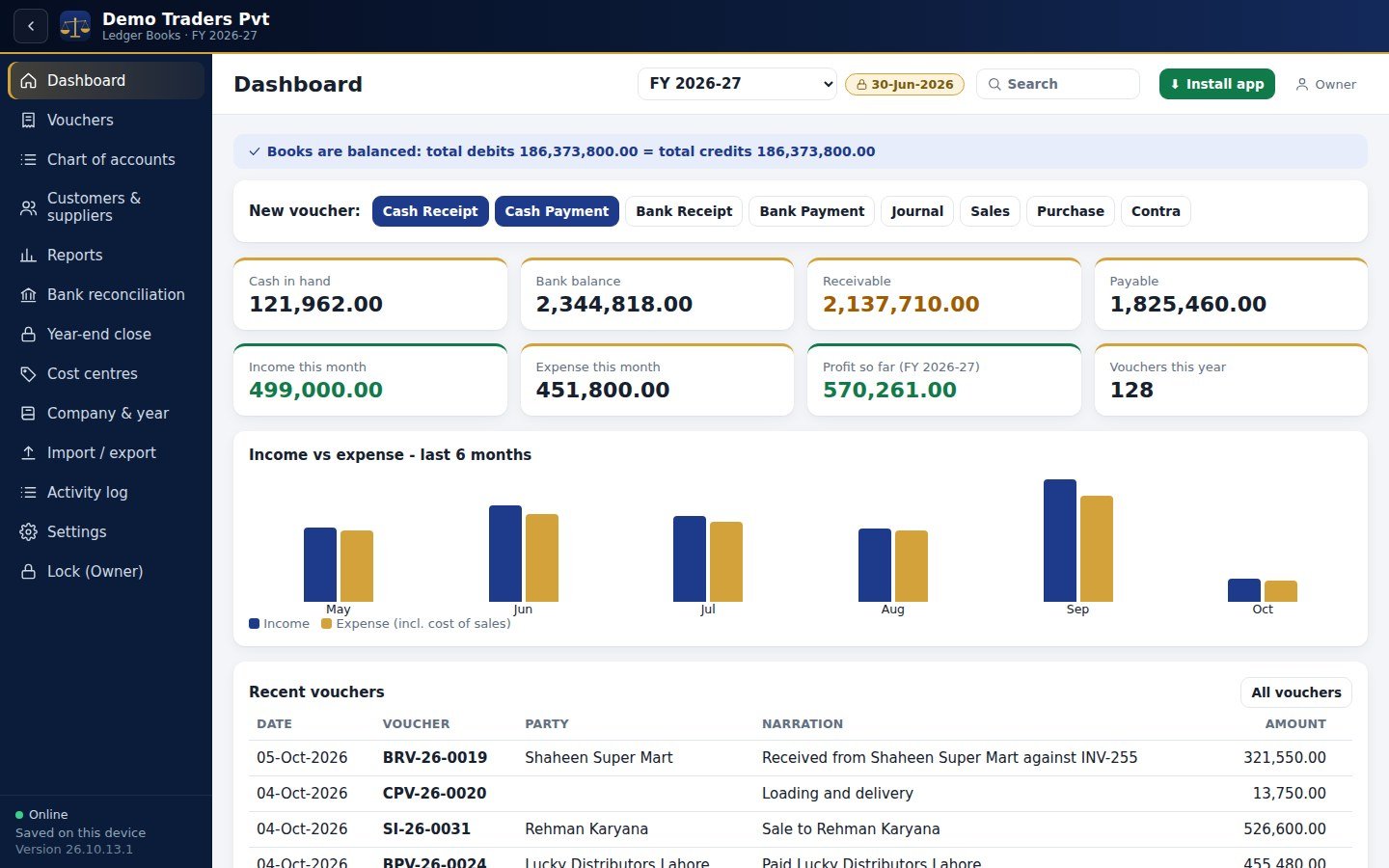
Plate 1 - The dashboard: cash, bank, receivable, payable, profit and the balance check
Who uses it
Traders and shops
Service businesses
Personal and household books
Accountants and bookkeepers
Accounts Book users who need real ledgers
The features
Four ledgers of work, one set of books.
IBooks & company
Many companies, each with its own financial year start month
Opening balances and multi-year books with carry-forward
Period lock: nothing can be posted, edited or voided before the lock date
Cost centres for branches, projects or vehicles
Tax lines on sales and purchases, and notes on vouchers
IIChart of accounts & parties
Five account types with groups and sub-groups
Starter templates for Trader, Service and Personal books
Customer and supplier ledgers under receivable and payable control accounts
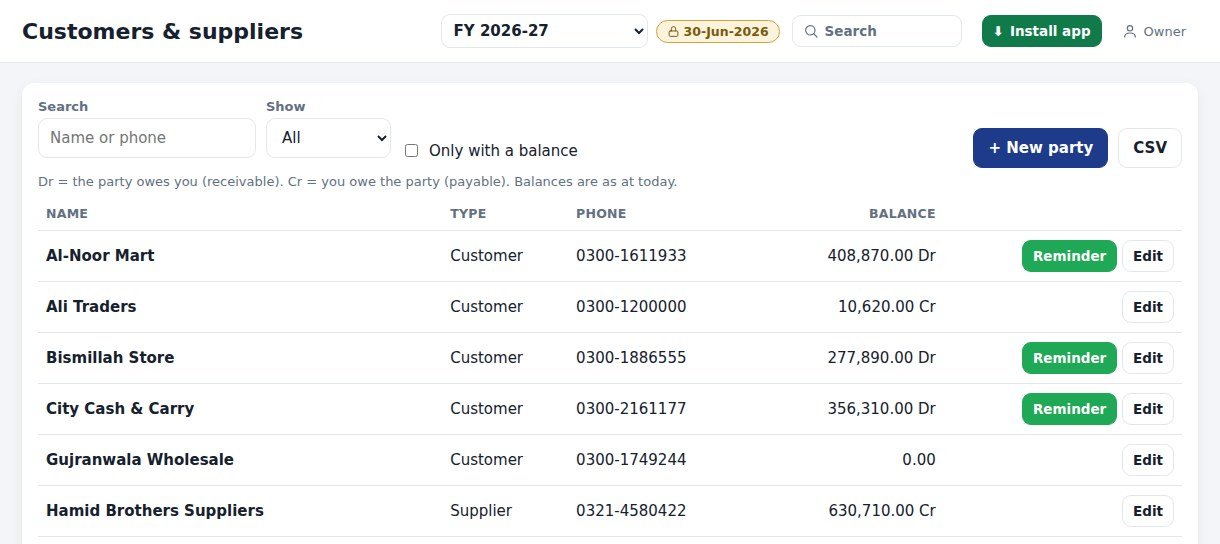
WhatsApp reminder button for customers with a balance
IIIVouchers
10 voucher types: cash and bank receipts and payments, journal, contra, sales, purchase, credit and debit notes
Auto-numbered per type per year
Edit before lock, repeat, reverse or void with a reversing entry
Print any voucher on A4
IVReports & control
12 reports, each with A4 print and CSV
Bank reconciliation and year-end close with reopen
Staff logins with roles, plus an activity log of who did what
Import and export of your data
Vouchers
Post it once. See it on both sides.
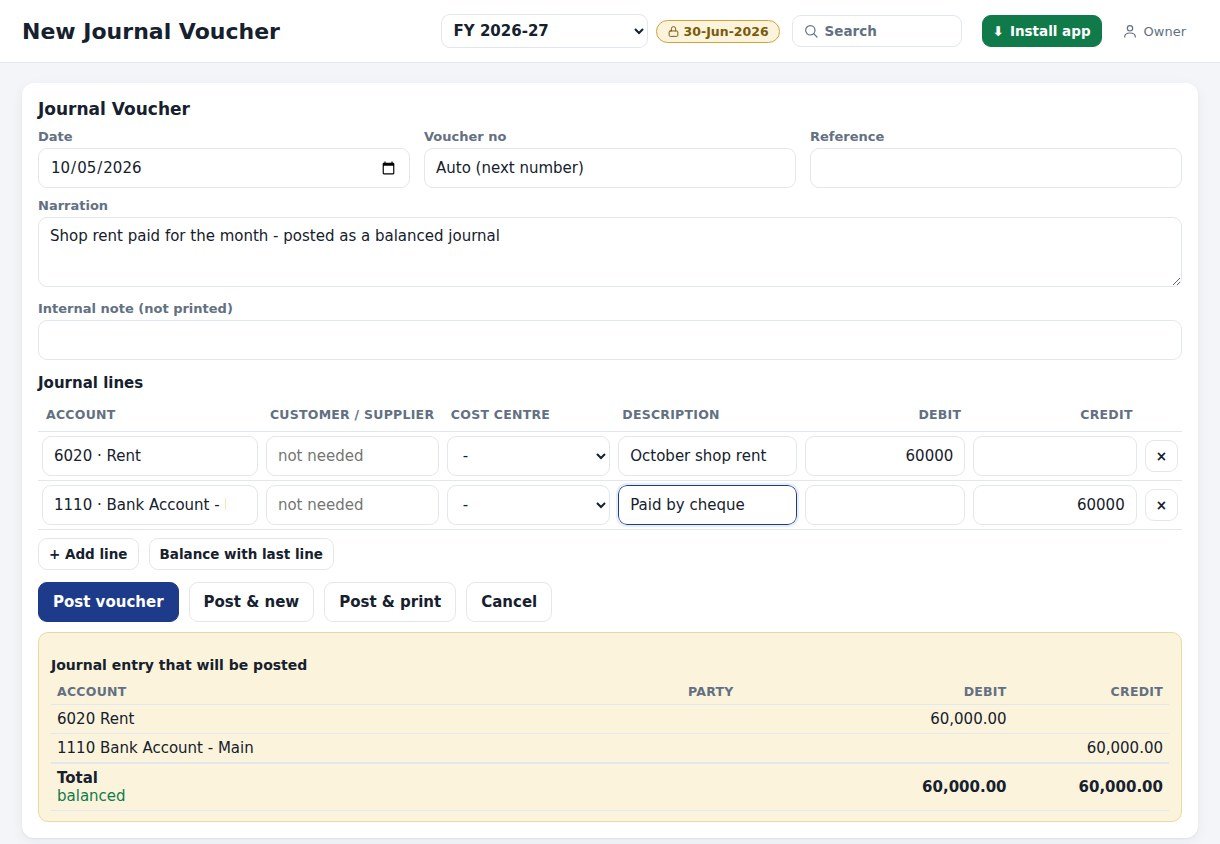
Every voucher shows the journal entry that will be posted, with debit and credit columns and a balanced check, before you press Post.
Plate 2 - Journal voucher with the entry preview
Plate 3 - Sales invoice posts to three accounts
Ten voucher types
CRVCash Receipt
CPVCash Payment
BRVBank Receipt
BPVBank Payment
JVJournal
CTVContra
SISales Invoice
PBPurchase Bill
CNCredit Note
DNDebit Note
Post and new, or post and print in one tap
Repeat a voucher or reverse it with one click
Edit until the period is locked; void posts a -VOID reversing entry
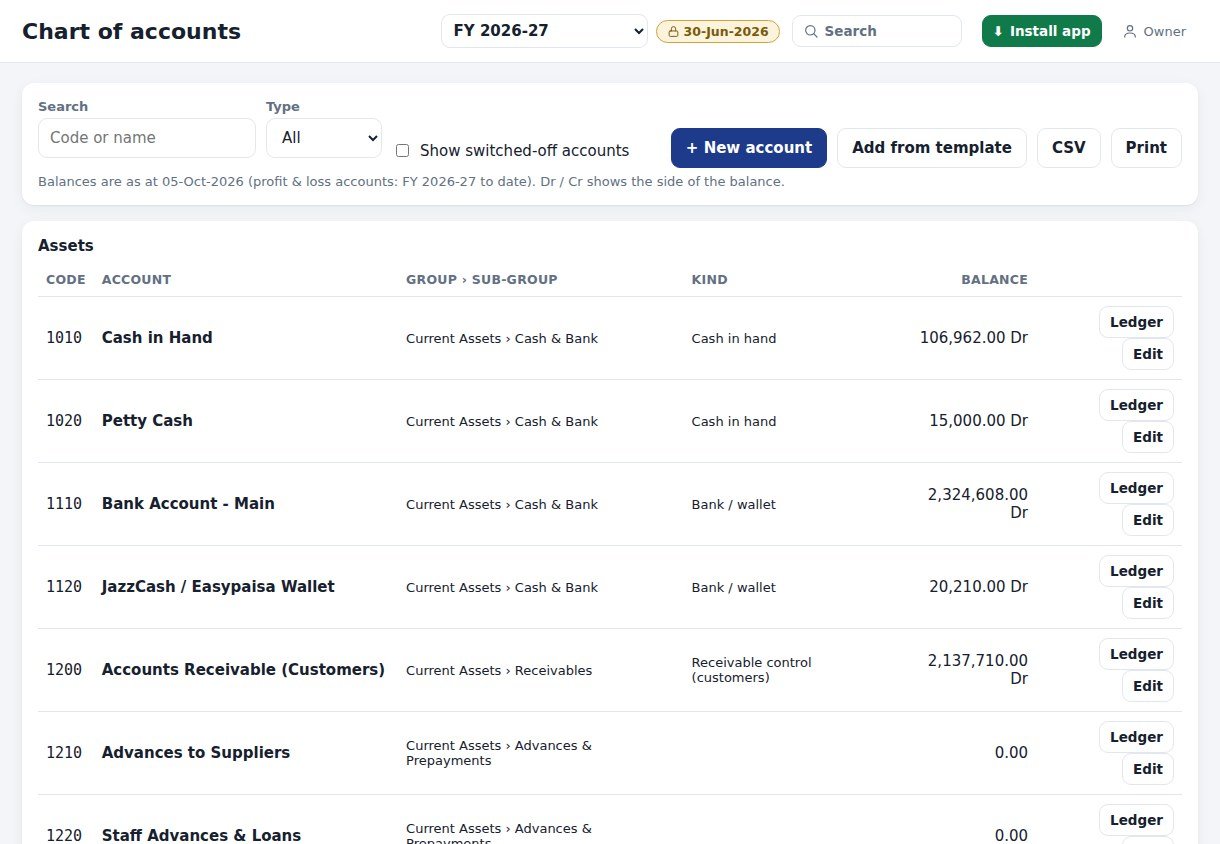
Chart of accounts
Assets, Liabilities, Equity, Income, Expense
Groups and sub-groups, codes and balances
Add from a Trader, Service or Personal template
Receivable and payable control accounts with customer and supplier ledgers
Switch off accounts you no longer use
Plate 4 - Chart of accounts with Dr / Cr balances
Reports
Statements you can sign and file.
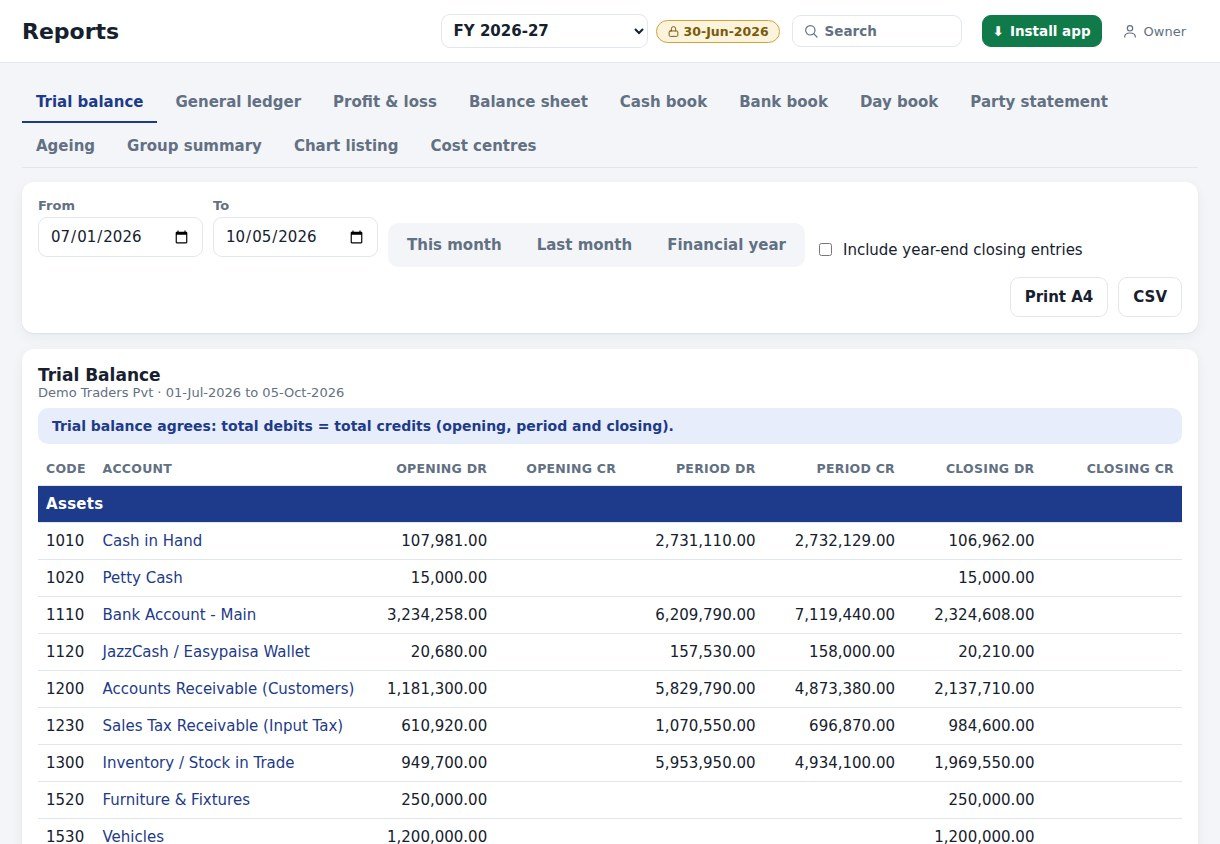
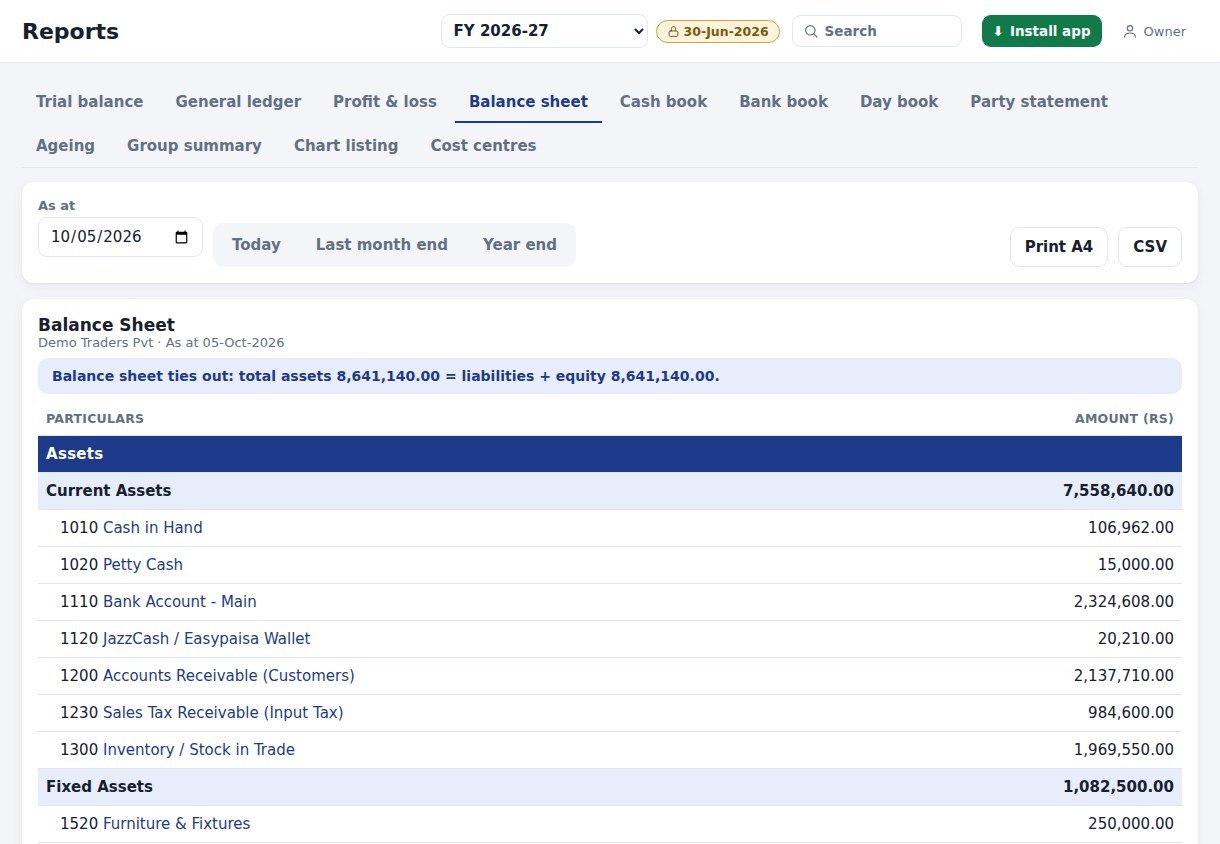
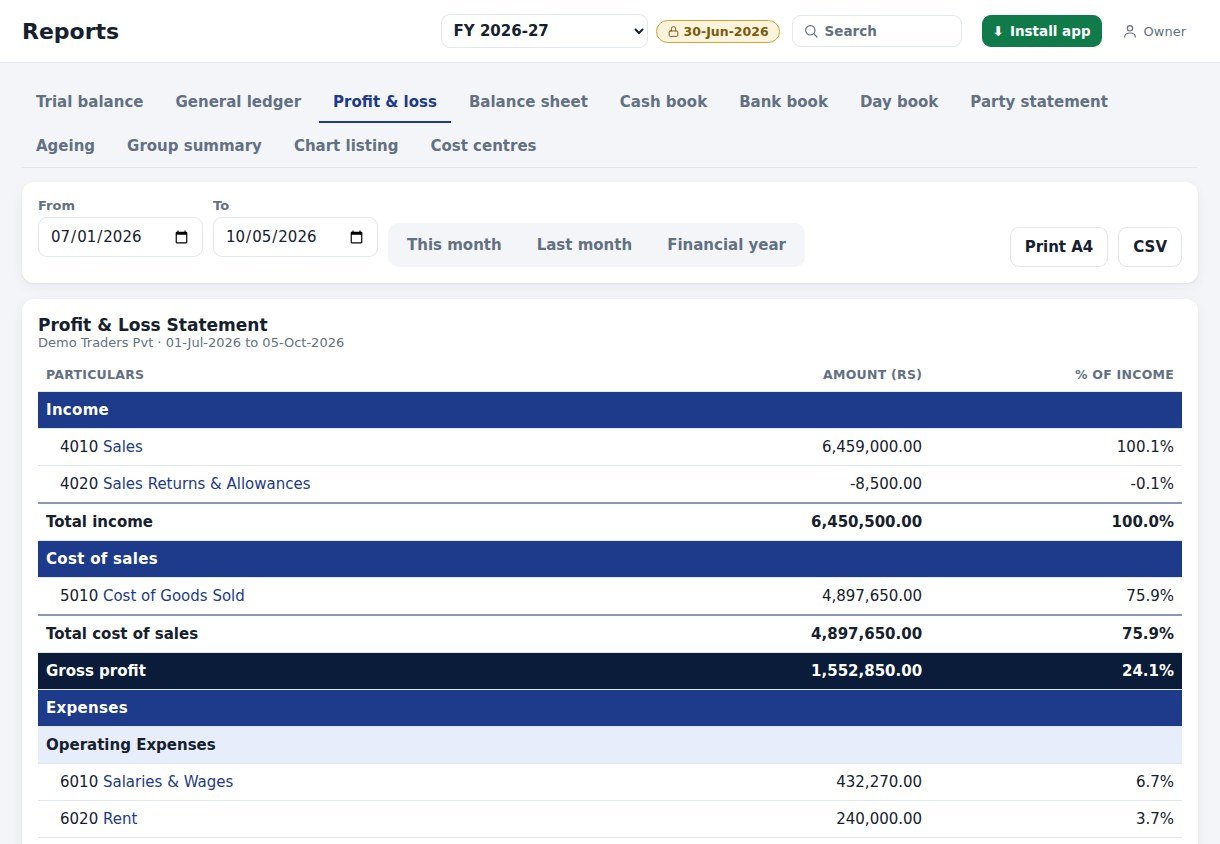
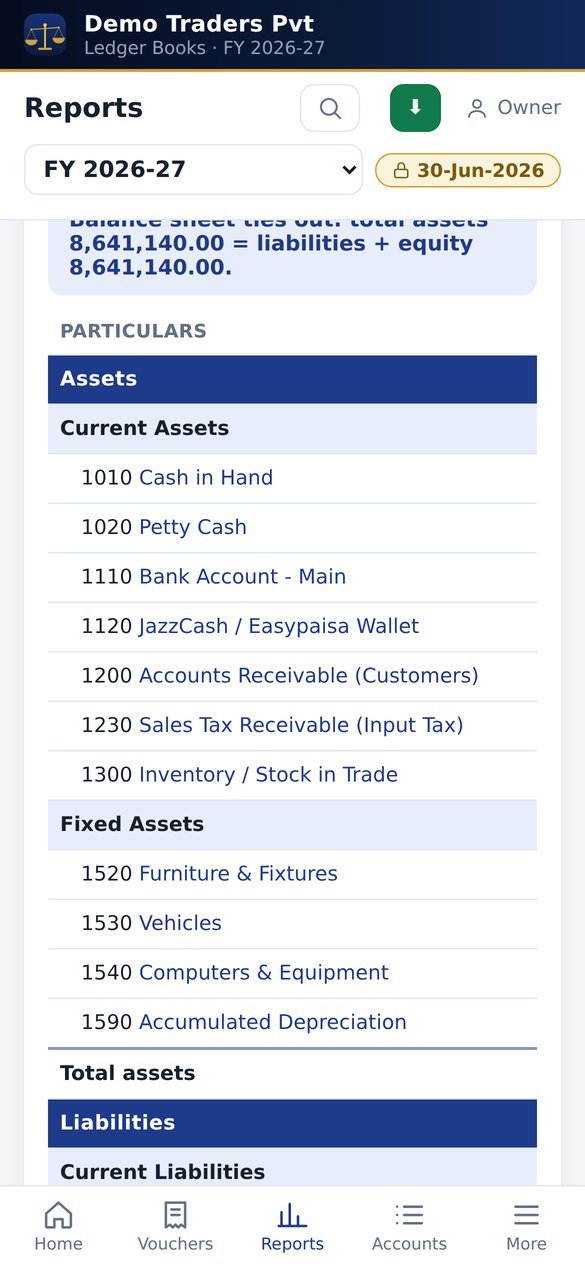
Trial balance with opening, period and closing columns, profit and loss with percent of income, and a balance sheet that checks assets against liabilities plus equity.
Every report has quick date ranges, prints on A4 with your business name, and exports to CSV for Excel.
Control
Reconcile. Lock. Close the year.
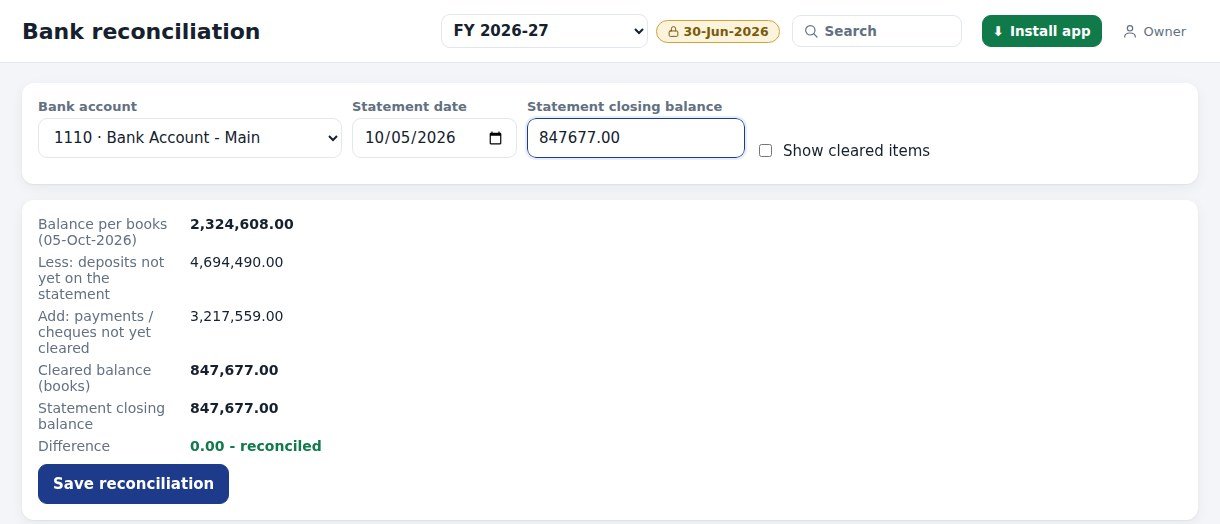
Bank reconciliation
Pick the bank account and statement date
Tick each line that appears on the bank statement; ticks save immediately
See deposits and cheques not yet cleared
Enter the statement closing balance: the difference shows 0.00 - reconciled
Save the reconciliation to keep a history
Plate 8 - Reconciled to the rupee
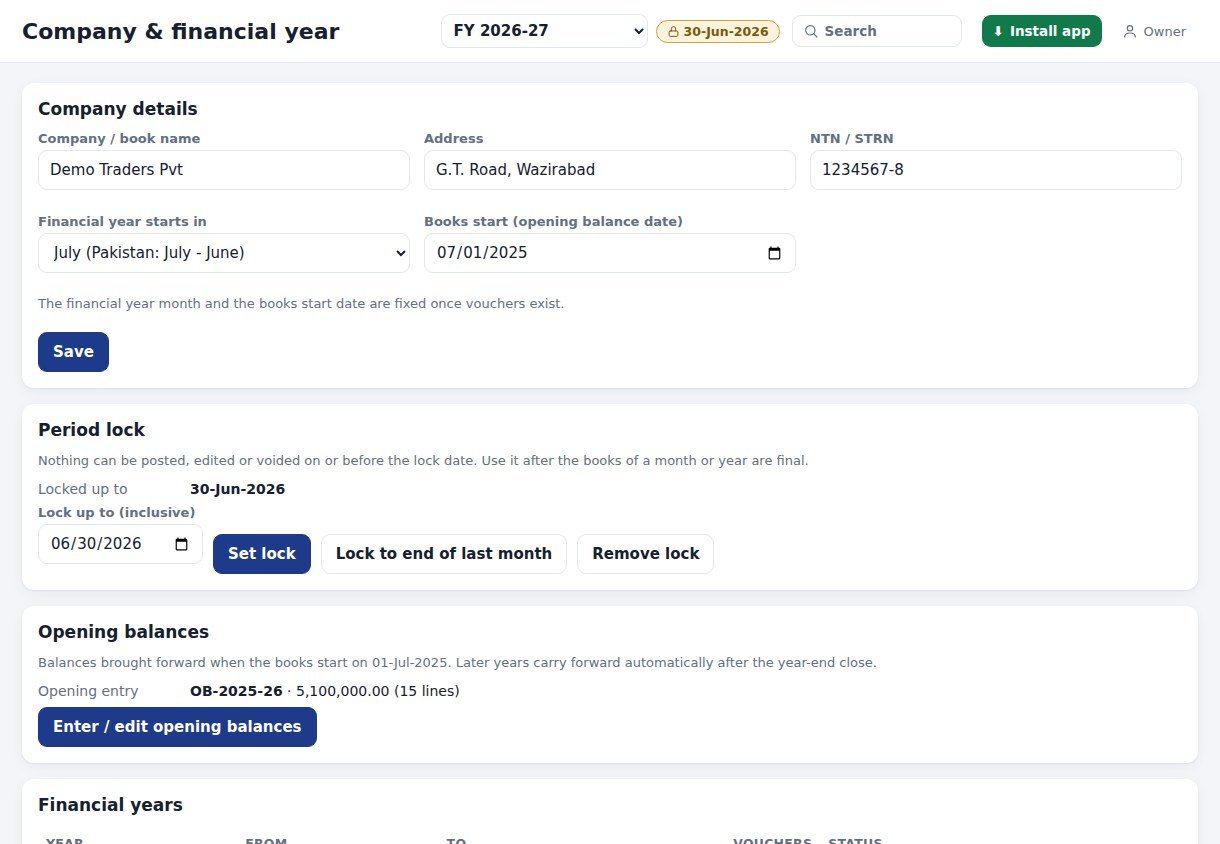
Plate 9 - Company, financial year and period lock
Period lock
Set a lock date, or lock to the end of last month
Nothing can be posted, edited or voided on or before that date
Remove the lock when you must
Each company has its own financial year start month and opening balances
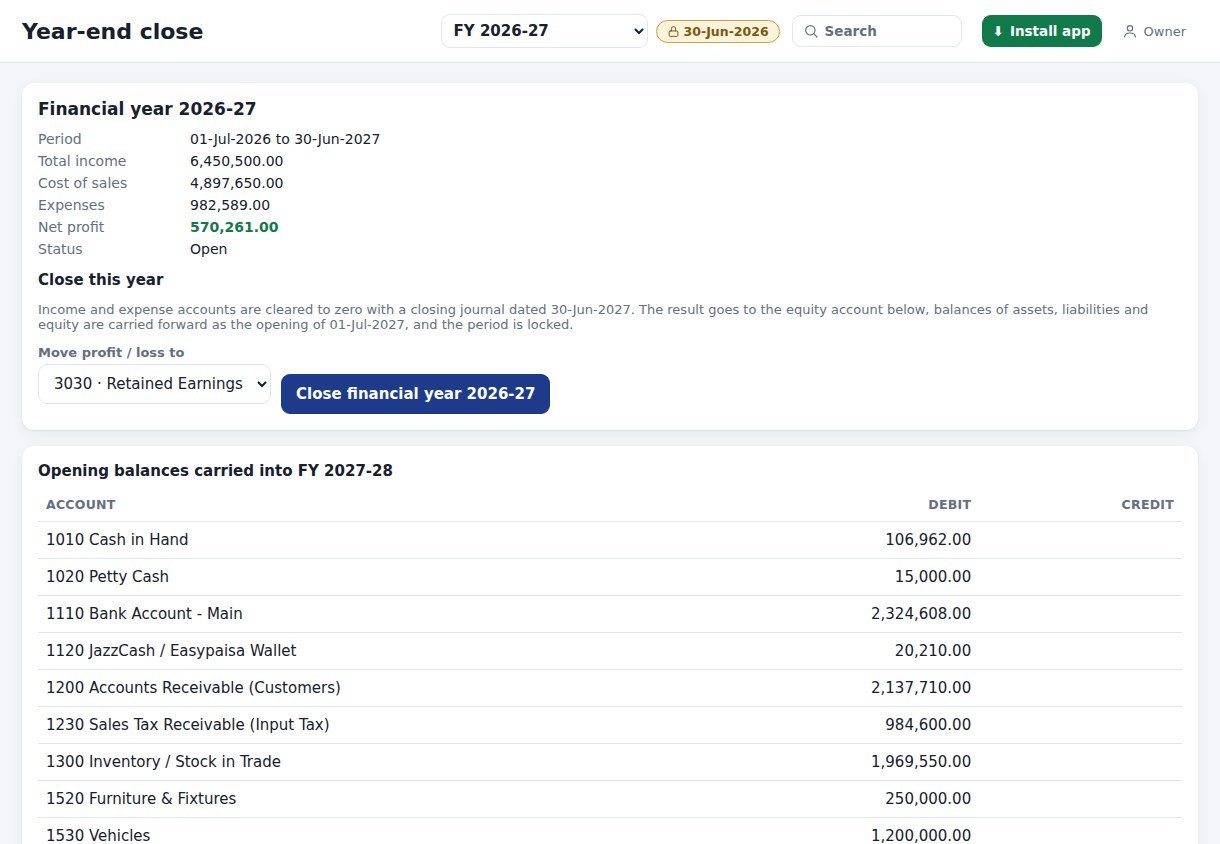
Year-end close
Income and expense accounts are cleared to zero with a closing journal
The profit or loss moves to Retained Earnings (or the equity account you choose)
Balances carry forward as next year's opening, shown before you confirm
The closed period is locked, and it can be reopened
Plate 10 - Close the year and carry balances forward
Import
From Accounts Book to a full ledger.
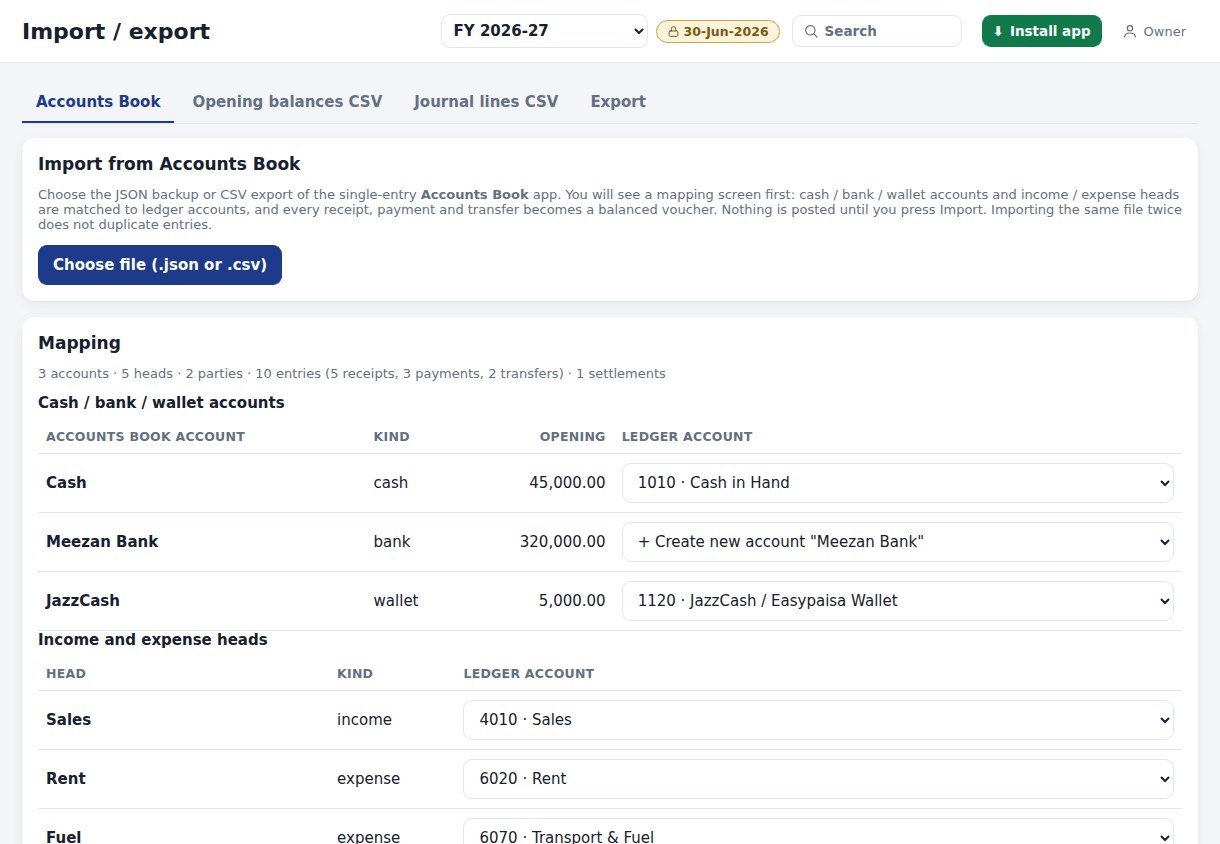
Already keep receipts and payments in the single-entry Accounts Book? Import its JSON backup or CSV export. Every receipt, payment and transfer becomes a balanced voucher.
Accounts Booksingle-entry JSON / CSV
→
Mapping screenreview, then press Import
→
Ledger Booksbalanced double entries
Plate 11 - Mapping: your accounts and heads to ledger accounts
Cash, bank and wallet accounts matched to ledger accounts, or created new
Income and expense heads matched to chart accounts
Opening balances imported and offset against capital
Nothing is posted until you press Import
Bad rows (no date, zero amount, same-account transfer) are skipped
Importing the same file twice does not duplicate entries
Also: opening balances CSV, journal lines CSV, and export of everything (JSON)
Plate 12 - Customers & suppliers, with reminders
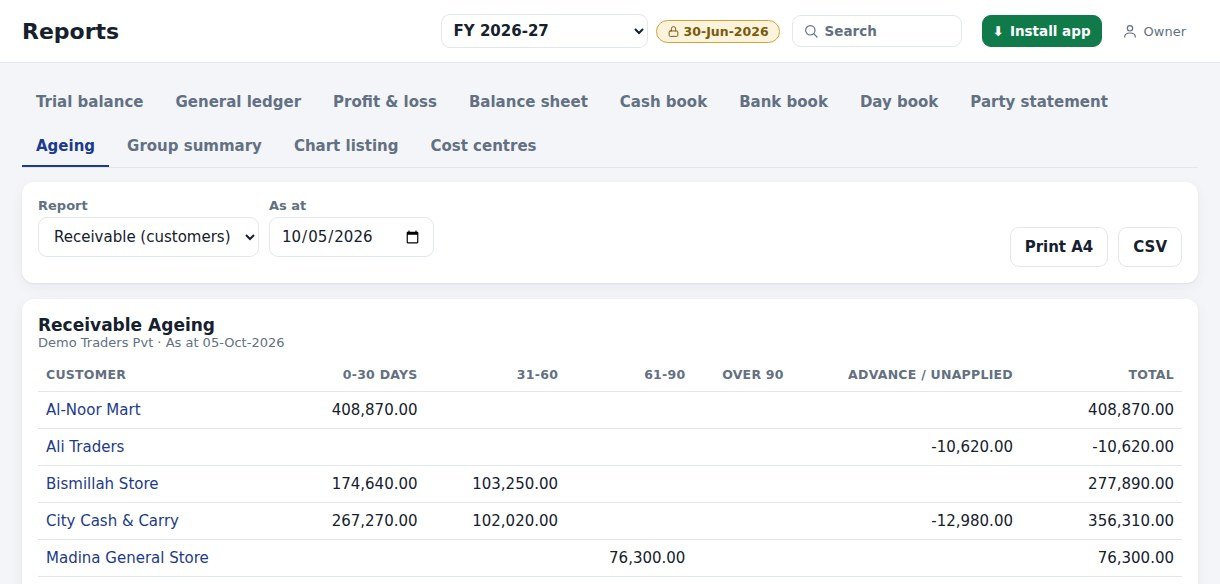
Plate 13 - Receivable ageing by days
In your pocket
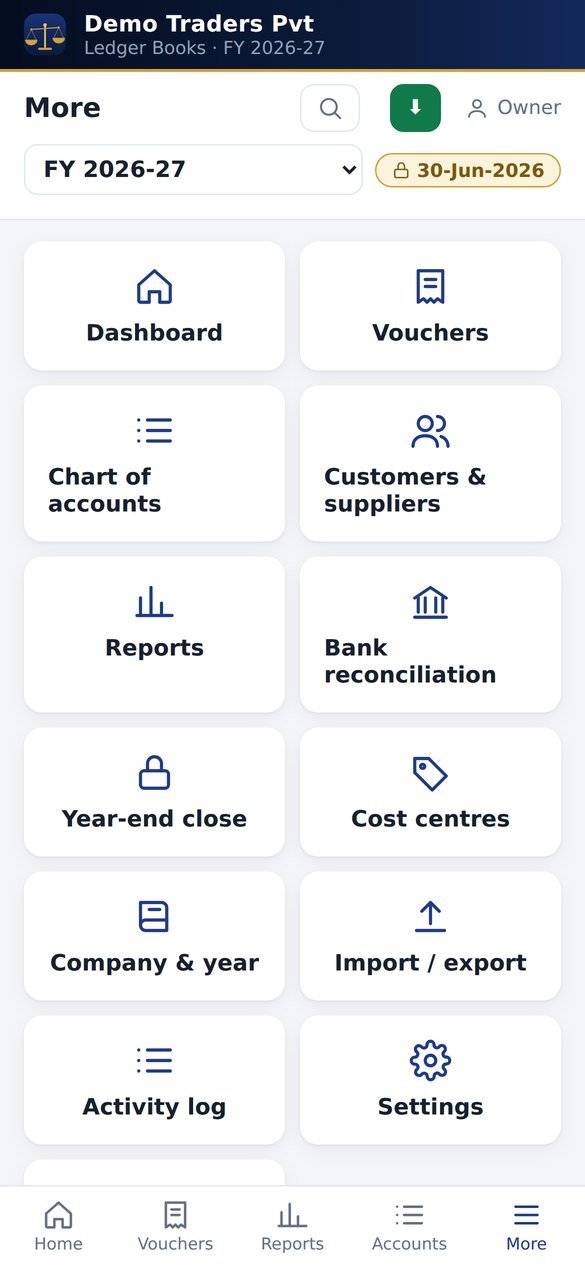
The books, on your phone.
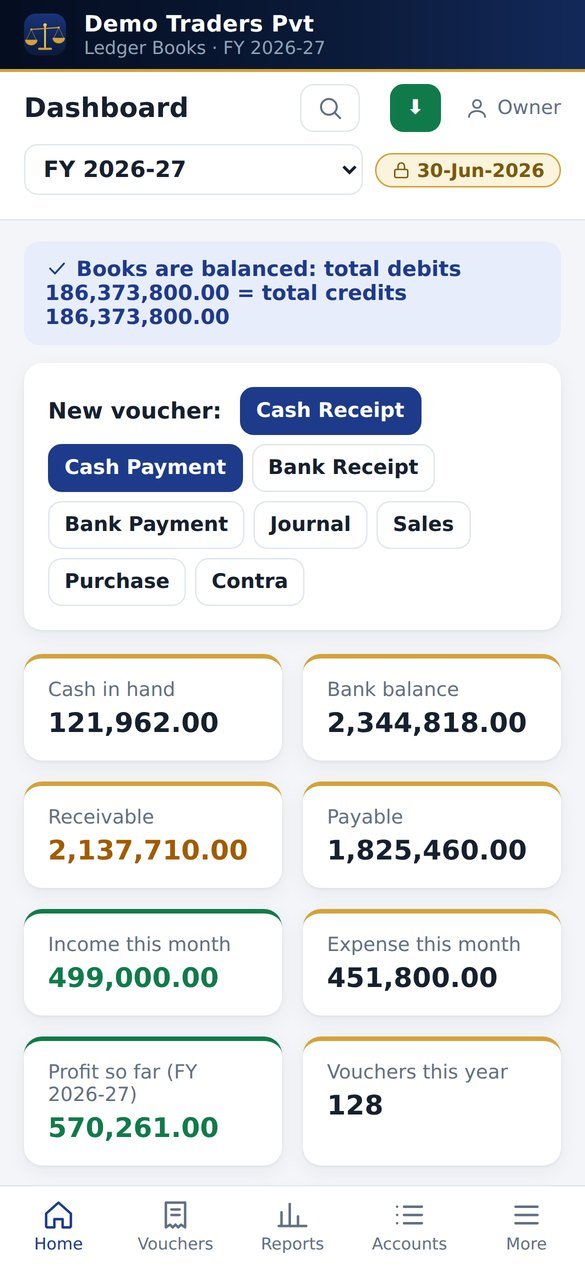
Dashboard
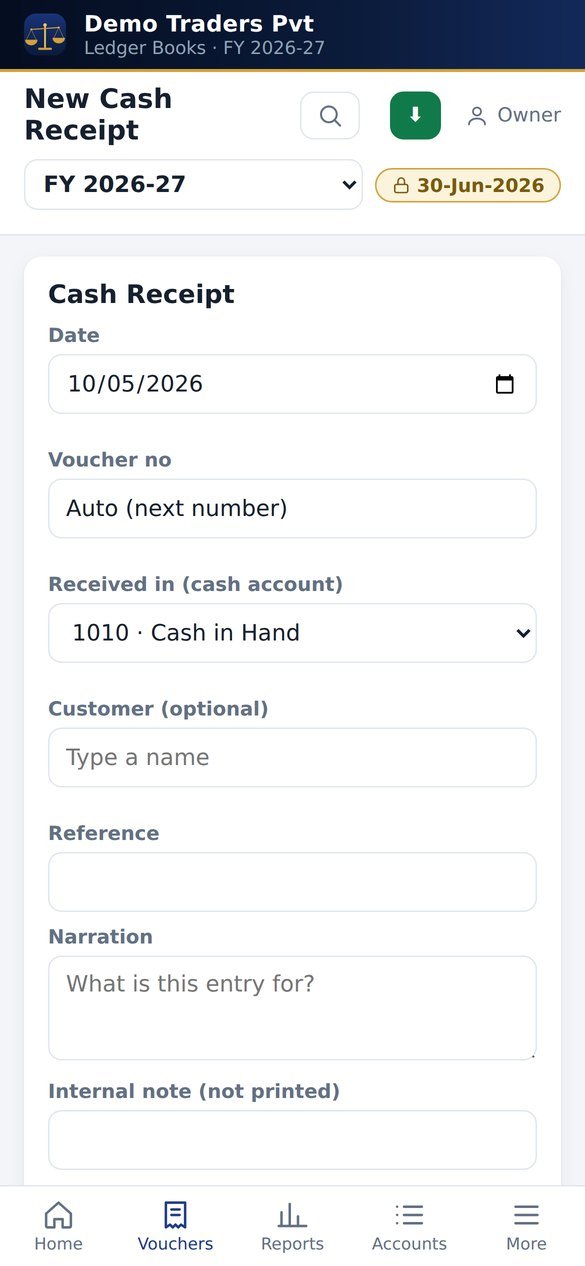
Cash receipt
Balance sheet
All modules
Getting started
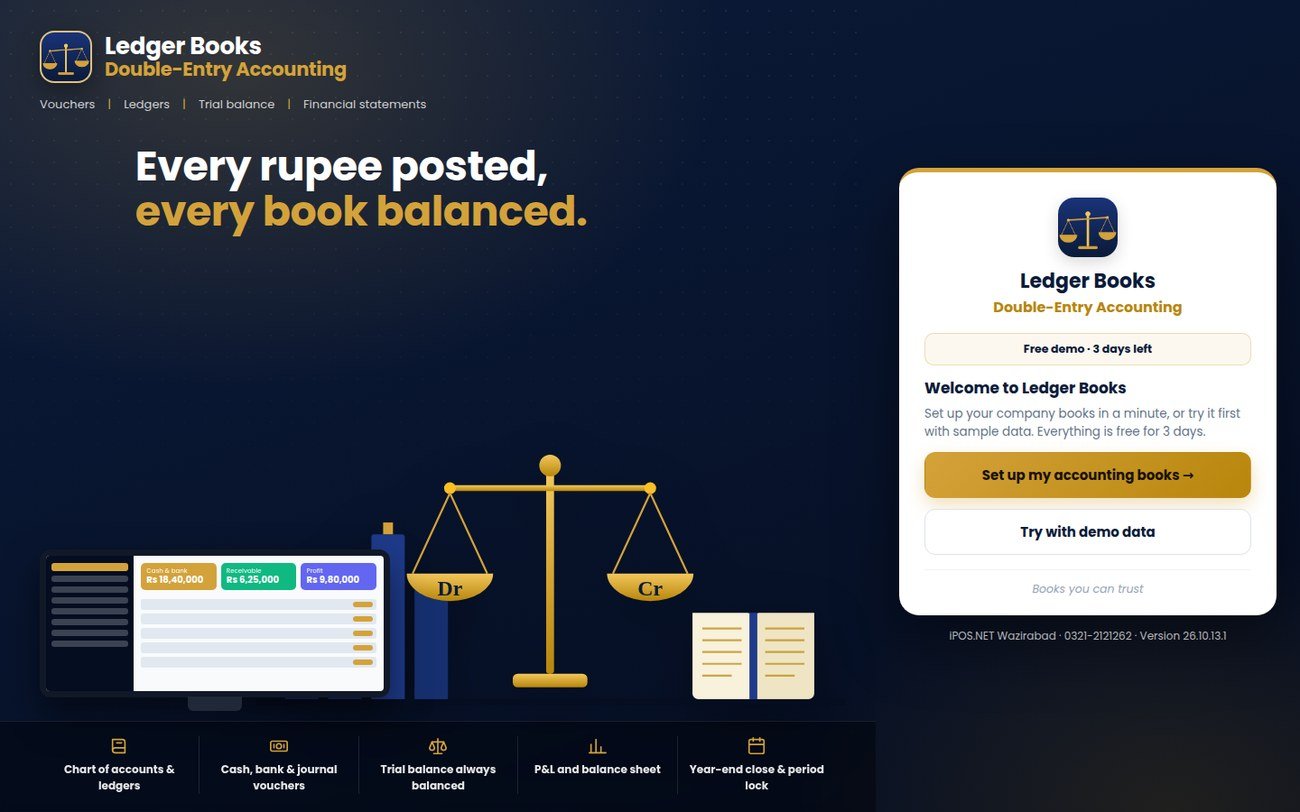
Open the book. Try it free for 3 days.
Plate 14 - The welcome screen
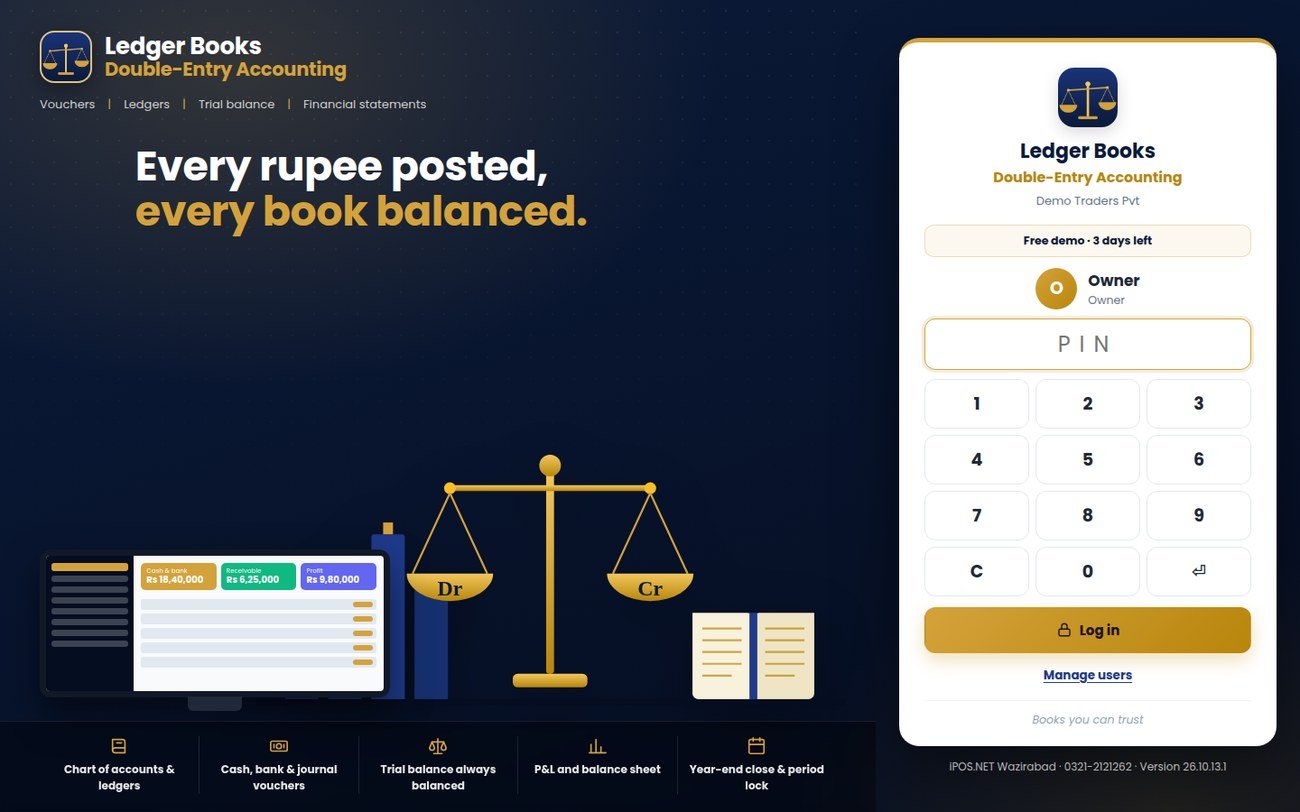
Plate 15 - Staff PIN login
Runs on
PC, Android, iPhone (installs from the browser)
Internet
Not needed for daily work; the app works offline
Data
Stored on your own device; export everything as a JSON backup any time
Users
Owner, manager, accountant, clerk, viewer, each with a PIN login
Printing
Vouchers and reports on A4, reports to CSV
Licence
3-day free trial, then read-only (view, print and back up) until a licence is activated
Price
Call or WhatsApp for a quote
Free for 3 days
ledger.iposwzd.com
Open the link on any phone or PC, choose Try with demo data and explore a sample trading company.
 Ledger BooksTry free